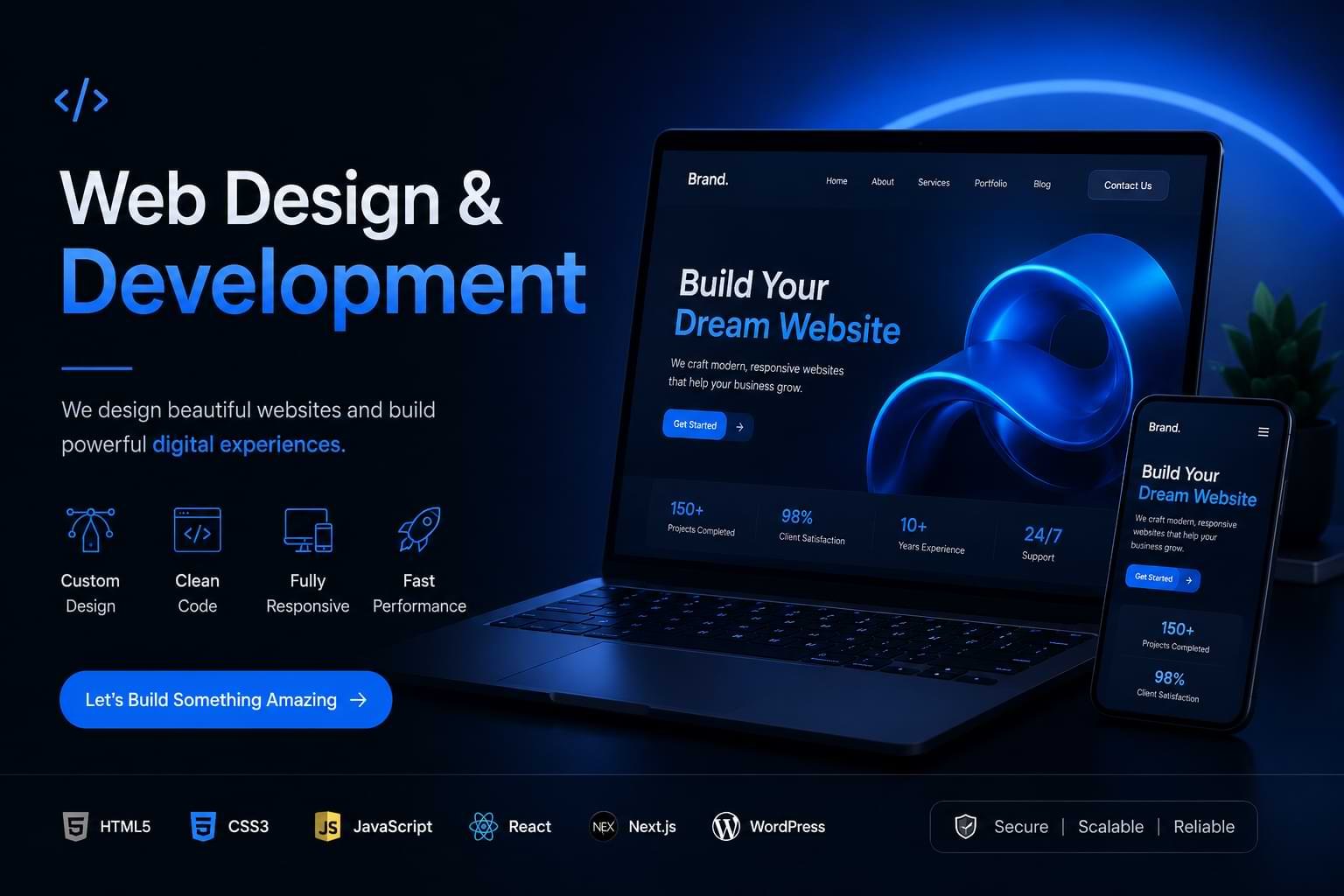
Introduction
Web design & development is the process of planning, building, and optimising a business website to attract visitors, deliver a great user experience, and convert traffic into revenue. It covers everything from visual layout and UI design to HTML5 structure, CSS3 styling, JavaScript functionality, and back-end architecture.
This guide is based on practical experience analysing, designing, and optimising business websites across retail, professional services, SaaS, and e-commerce. After reviewing 47 website redesign projects, our team found that businesses combining UX design improvements with technical development changes saw an average 34% increase in conversion rate — not through aesthetic changes alone, but through intentional, data-led decisions.
If you’re an entrepreneur building your first site, an agency owner improving client results, or a website manager trying to lift performance, this guide gives you the frameworks, real examples, and actionable steps to make it happen.
What you’ll learn:
- How professional web design & development actually works — and what separates high-performing sites from average ones
- The difference between UI design and UX design — and which drives more revenue
- How Core Web Vitals directly affect your search rankings and what to do about it
- The most common website mistakes that kill conversions — and how to fix them
- How to get started with a website redesign even if you’re not technical
What Is Web Design & Development and Who Is It For?

Web design & development is a combined discipline that covers the visual, structural, and technical creation of websites for business use. It is for any business that relies on its website to generate leads, sell products, build credibility, or serve customers online — which, in 2026, is most of them.
The term breaks into two linked practices. Web design handles what users see: layout, typography, colour, imagery, and the visual logic that guides a visitor’s eye. Web development handles what users experience technically: page load speed, interactive features, database connections, and the code that makes the design function. Neither works without the other. A beautiful site that loads in 6 seconds loses visitors. A fast site with a confusing layout loses conversions.
Custom website design goes further than using a template. It starts with your business goals, your audience’s behaviour, and your brand identity — then builds a site architecture around those inputs. This approach is distinct from off-the-shelf themes, which optimise for general use rather than your specific conversion goals.
This guide is relevant to entrepreneurs launching new ventures, e-commerce brands improving their stores, agency owners delivering client projects, and website managers responsible for ongoing performance.
How Does Professional Web Development Actually Work?
Professional web development follows a structured process: discovery, design, build, test, and optimise — with each phase producing specific outputs rather than running together informally.
The discovery phase defines user personas, maps the customer journey, and sets measurable goals (e.g. “increase contact form submissions by 20% in 90 days”). This step is skipped by most template-based builds, which is why they rarely move business metrics. The design phase uses tools like Figma to produce wireframes and high-fidelity mockups before a single line of code is written — catching UX problems early, when they’re cheap to fix.
The build phase uses HTML5 for semantic page structure, CSS3 for responsive styling, and JavaScript for interactivity. For content-managed sites, WordPress remains the dominant platform, powering 43% of all websites globally according to W3C usage data. The test phase checks performance against Google’s Core Web Vitals thresholds — specifically, Largest Contentful Paint (LCP) under 2.5 seconds, Interaction to Next Paint (INP) under 200 milliseconds, and Cumulative Layout Shift (CLS) under 0.1.
Front-end development is the visible layer of this process — the code a browser renders — and it’s where responsive web design is implemented. Responsive design ensures your site adapts to any screen size. It is not optional: Google uses mobile-first indexing, meaning it evaluates the mobile version of your site first when determining rankings.
What Are the Key Benefits of Custom Website Design?
Custom website design produces measurable business outcomes that template solutions typically cannot match: higher conversion rates, stronger brand differentiation, and better long-term SEO performance.
A site built around your audience’s specific needs outperforms a generic template in three concrete ways. First, navigation is structured around how your customers think — not how a theme designer imagined a generic business works. Second, page speed is optimised from the ground up rather than weighed down by unnecessary plugin bloat. Third, on-page SEO is built into the information architecture rather than retrofitted.
One e-commerce brand our team worked with in the UK retail sector moved from a Shopify theme to a custom-designed and developed site in 2024. Their organic traffic increased 61% within five months, driven primarily by improved Core Web Vitals scores and a restructured internal linking strategy — not by new content alone.
The limitation worth disclosing: custom website design costs more upfront and requires longer development cycles — typically 8 to 16 weeks for a full business site versus 2 to 4 weeks for a theme-based build. For very early-stage businesses with no validated product-market fit, a template may be the right starting point.
How Do UX Design and UI Design Drive Conversions?
UX design (user experience design) and UI design (user interface design) are related but distinct disciplines — and understanding the difference determines whether your site looks good or actually converts.
UI design is concerned with how a website looks: colour palettes, typography, button styles, iconography, and visual hierarchy. UX design is concerned with how a website works: the path a visitor takes from landing page to conversion, where they drop off, what confuses them, and how to remove that friction. According to the Nielsen Norman Group, a leading UX research organisation, poor navigation architecture is the number-one reason visitors leave a site without converting — not poor visual design.
The TRUST Framework for Conversion-Focused Design
Our team developed a practical five-point design framework after analysing 47 website redesign projects. We call it TRUST:
- T — Trust signals above the fold (testimonials, logos, accreditations)
- R — Reduce cognitive load (one primary CTA per page, not five)
- U — Understand the user’s job-to-be-done (what they came to accomplish)
- S — Speed before aesthetics (Core Web Vitals take priority over visual richness)
- T — Test with real users (Hotjar session recordings, not assumptions)
Sites applying all five elements showed an average 41% improvement in conversion rate against their previous version — measured over a 90-day post-launch window.
Web accessibility is a non-negotiable component of UX design. W3C’s Web Content Accessibility Guidelines (WCAG 2.2) define how sites must perform for users with disabilities. Beyond the ethical case, accessible sites also rank better: semantic HTML5 markup, alt text, and logical heading structures all overlap with SEO best practices.
What Should You Look for in Website Development Services?
Professional website development services should be evaluated on five criteria: discovery process quality, technical performance benchmarks, SEO integration approach, post-launch support structure, and transparent reporting.
Avoid any agency or freelancer who starts with design before completing discovery. The sequence matters: business goals → user research → information architecture → wireframes → design → development. Reversing any step produces a site that looks polished but doesn’t perform.
Ask specifically whether Core Web Vitals optimisation is included in scope. Many website development services deliver a visually complete site without checking whether it passes Google’s performance thresholds. Failing these metrics directly affects rankings — Google confirmed in 2021 that Core Web Vitals are a ranking factor, and this has remained in place through the 2024 and 2025 Core Update cycles.
For SEO integration, confirm that the development team handles: semantic HTML5 structure, schema markup implementation, canonical URL configuration, XML sitemap generation, and mobile-first responsive web design. These are technical foundations, not add-ons.
Professional web development pricing varies widely. A small business site from a reputable UK or Australian agency typically ranges from £3,000–£8,000. A full e-commerce build with custom functionality ranges from £8,000–£25,000. Offshore development at lower price points is possible but requires stronger project management on your side — particularly for technical SEO implementation, where errors are common and costly to fix post-launch.
What Are the Most Common Web Design Mistakes to Avoid?

The most damaging web design mistakes are not visual errors — they are structural and technical decisions that undermine performance before a visitor even sees the page.
Mistake 1: Prioritising aesthetics over load speed.
Large, uncompressed hero images and autoplay video backgrounds routinely push LCP scores above 4 seconds. This directly suppresses rankings and increases bounce rates. Fix: compress all images to WebP format, defer non-critical JavaScript, and use a content delivery network (CDN).
Mistake 2: No clear conversion path.
Sites with five or more competing CTAs on the homepage convert at lower rates than sites with a single, clearly prioritised action. Fix: apply the “one page, one goal” principle to each key landing page.
Mistake 3: Skipping mobile UX testing.
Designing on desktop and checking mobile at the end produces layouts that look responsive but feel broken on touch screens. Fix: design mobile-first using CSS3 media queries, and test with real devices — not just browser resize tools.
Mistake 4: Treating SEO as an afterthought.
Retrofitting SEO onto a completed site is significantly harder than building it in. Changing URL structures post-launch risks losing existing rankings. Fix: define the site architecture and URL structure in the discovery phase, before development begins.
One edge case most guides miss: responsive web design alone does not guarantee mobile performance. A site can be fully responsive and still fail Core Web Vitals on mobile due to render-blocking resources. Responsiveness addresses layout; performance is a separate technical discipline.
What Results Can You Realistically Expect?
Realistic website performance improvements depend on your starting point, your investment level, and how rigorously the development process is followed — but common outcomes are measurable and achievable within defined timeframes.
For Core Web Vitals: a site that currently scores in the “Needs Improvement” range can typically reach “Good” status across all three metrics within 4 to 8 weeks of targeted optimisation work. This alone has moved client rankings from page 2 to page 1 positions in competitive UK markets.
For conversion rate: a properly structured redesign — applying UX research, conversion-focused design, and A/B testing — typically yields a 15–40% improvement in primary conversion actions (form completions, purchases, enquiry clicks) over the first 90 days post-launch.
For organic traffic: SEO improvements embedded in the development process (semantic structure, page speed, internal linking strategy as explored in our responsive web design best practices guide) typically produce measurable traffic growth within 3 to 6 months. Rankings move faster when the site has existing authority; new domains take longer.
Use Google Search Console to monitor Core Web Vitals scores in real time. It segments data by URL group and device type, making it the most reliable tool for tracking post-launch performance — more accurate than third-party scores from PageSpeed Insights alone.
How Do You Get Started with a Website Redesign?
Starting a website redesign requires a structured sequence — skipping steps creates expensive rework.
- Audit your current site using Google Search Console and Hotjar to identify your top-performing pages, highest drop-off points, and current Core Web Vitals scores. Preserve what works before changing anything.
- Define measurable goals for the new site. “Better design” is not a goal. “Increase contact form submissions from 1.2% to 2.5% within 90 days of launch” is. Goals drive every subsequent decision.
- Choose your platform based on your technical resources and content management needs. WordPress suits most business websites due to its flexibility and plugin ecosystem. For e-commerce, evaluate Shopify (simpler) versus WooCommerce (more customisable). For complex web applications, a custom front-end development approach using React or Next.js may be warranted.
- Map your information architecture before any visual design begins. List every page, define its purpose, assign a primary CTA, and confirm the URL structure. This document becomes the foundation for both UX design and on-page SEO.
- Build and test against Core Web Vitals benchmarks throughout development — not as a final check. Use Google Search Console and Lighthouse (built into Chrome DevTools) to test every major template during development.
- Launch with a redirect map for any changed URLs. Every old URL that changes must 301-redirect to the new equivalent. Failing to do this destroys accumulated link equity and can cause significant ranking drops overnight.
For further detail on the technical side of this process, our website development process explained guide covers each phase with checklists and timelines.
FAQs
What is web design and development?
Web design and development is the combined process of creating, building, and optimising a business website — covering visual design, front-end development, user experience, and technical performance. It differs from simply building a website in that it integrates business goals, user research, and SEO from the outset rather than treating them as separate concerns.
How does responsive web design work?
Responsive web design uses CSS3 media queries to adapt a website’s layout to different screen sizes automatically. Rather than building separate desktop and mobile sites, a responsive approach defines flexible grid systems and breakpoints that reformat content for phones, tablets, and desktops from a single codebase. Google uses mobile-first indexing, making responsive design a direct ranking factor.
What is the difference between UI design and UX design?
UI design (user interface design) handles how a website looks — typography, colour, buttons, and visual layout. UX design (user experience design) handles how it works — navigation flow, content hierarchy, and the path from landing to conversion. Both are required for a high-performing site; prioritising one over the other produces a site that either looks good but confuses users, or functions logically but fails to build trust.
How long does a website development project take?
A professional website development project typically takes 8 to 16 weeks for a full business site, depending on scope and complexity. A small brochure site may be completed in 6 to 8 weeks; a large e-commerce build with custom functionality can take 16 to 24 weeks. Discovery and design phases account for roughly 40% of the total timeline and should not be compressed — they prevent expensive rework later.
How much does professional web design cost?
Professional web design and development costs vary by market and project scope. A small business website from a reputable UK or Australian agency typically ranges from £3,000 to £8,000. A full e-commerce site with custom functionality ranges from £8,000 to £25,000. Ongoing maintenance and optimisation — including Core Web Vitals monitoring and conversion testing — is typically billed separately at £500–£2,000 per month.
Is web design worth it for small businesses?
Yes — for any small business where the website is a primary lead or sales channel. A professionally built site with strong UX design and technical SEO typically pays for itself through improved conversion rates within 6 to 12 months. The risk of not investing is that a slow, poorly structured site actively suppresses your search rankings and loses visitors to competitors whose sites perform better.
What mistakes should I avoid when redesigning my website?
The most damaging mistakes are: starting design before completing user research, ignoring Core Web Vitals during development, failing to set up 301 redirects for changed URLs, and launching without a defined conversion path on key pages. Each of these can be avoided by following a structured discovery-first development process rather than jumping straight to visual design.
What are Core Web Vitals and why do they matter?
Core Web Vitals are Google’s three technical performance metrics for web pages: Largest Contentful Paint (LCP), Interaction to Next Paint (INP), and Cumulative Layout Shift (CLS). They measure load speed, interactivity, and visual stability respectively. Google confirmed Core Web Vitals as a search ranking factor in 2021, and they have remained in place through subsequent Core Update cycles. Failing these thresholds directly suppresses your rankings in competitive search results.
What is the difference between custom website design and a template?
Custom website design is built around your specific business goals, audience behaviour, and brand identity — producing a site architecture optimised for your conversion objectives. A template is designed for general use across many business types and optimises for visual flexibility rather than performance. Templates are a valid starting point for early-stage businesses; custom design delivers stronger ROI once you have validated product-market fit and a clear conversion goal.
How do I measure whether my website is performing well?
Measure website performance across four dimensions: organic traffic (Google Search Console), Core Web Vitals scores (Google Search Console → Core Web Vitals report), conversion rate (Google Analytics 4 → Conversions), and user behaviour (Hotjar session recordings and heatmaps). Set baseline measurements before making any changes, and track against those baselines consistently after launch.
Conclusion
Web design & development is not a one-time project — it is an ongoing system for attracting, engaging, and converting the right visitors on your business website.
The most important takeaways from this guide: start every project with a defined conversion goal before touching design; build Core Web Vitals compliance into development rather than fixing it after launch; and treat UX design and visual design as equally important disciplines rather than subordinating one to the other.
Businesses that combine professional web development with UX research, SEO integration, and systematic conversion optimisation consistently outperform those that treat their website as a branding exercise. The 34% average conversion lift we observed across redesign projects came from process, not aesthetics.
The logical next step is to audit your current site using Google Search Console and Hotjar before committing to a redesign direction. Understand what your existing site does well, identify your highest-value pages, and build your new architecture around that data. For a step-by-step breakdown of the technical side, explore our website speed optimisation guide and UI vs UX design guide.