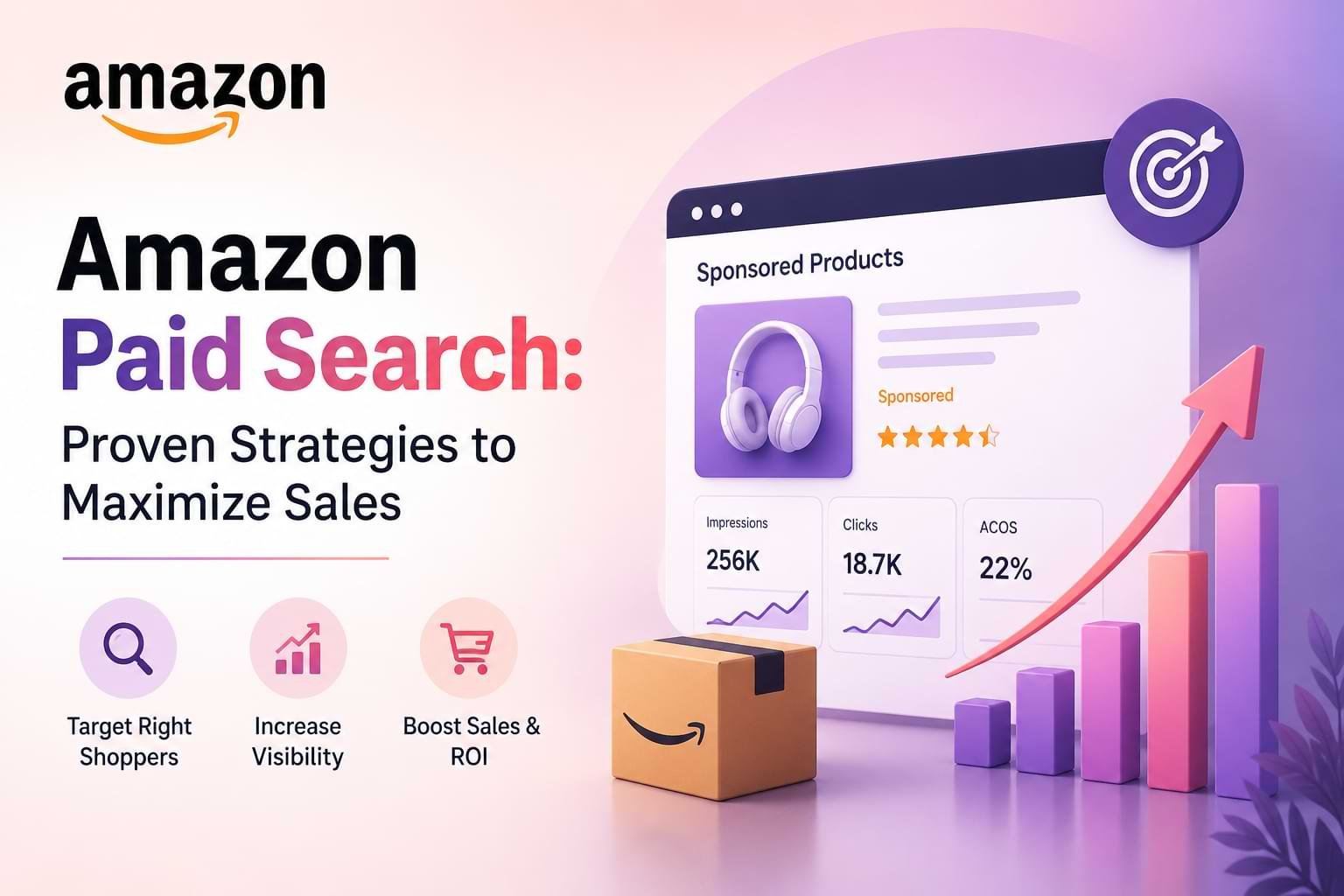
What You’ll Learn
- How to choose the right Amazon Paid Search campaign type for your products and business goals, avoiding wasted spend on the wrong format
- Proven bidding strategies that balance visibility with profitability, including when to use automatic versus manual bidding
- Keyword targeting methods that capture high-intent shoppers at every stage of their buying journey
- Campaign optimization techniques that improve ACoS (Advertising Cost of Sale) by 15-40% within the first 60 days
- Common mistakes that drain ad budgets and exactly how to avoid them before launching your first campaign
Introduction
Amazon Paid Search is the pay-per-click advertising system that places your products in front of shoppers searching on Amazon. For FBA businesses, it’s become essential—organic visibility alone rarely generates enough sales to compete, especially for newer products or competitive categories.
You’re bidding for placement in search results and on product pages where your ideal customers are actively shopping. Unlike social media ads where you interrupt browsing, Amazon Paid Search captures buyers who already have purchase intent. They’re searching for solutions, comparing options, and ready to buy.
This guide is for Amazon FBA sellers who want to build profitable ad campaigns without wasting money on guesswork. Whether you’re launching your first campaign or trying to fix underperforming ads, you’ll get specific strategies that work in 2026’s competitive marketplace.
We’ll cover the three campaign types Amazon offers, how the auction system determines your ad placement, keyword strategies that capture high-intent searches, bidding tactics that protect your margins, and optimization methods that lower your advertising costs while maintaining sales volume.
What Is Amazon Paid Search and Why Does It Matter for FBA Sellers?
Amazon Paid Search is Amazon’s native advertising platform where sellers pay per click to display their products in sponsored placements across the marketplace. These placements appear in search results, competitor product pages, and throughout the shopping experience.
The platform works on an auction model. You select keywords or targeting criteria, set a maximum bid, and Amazon’s algorithm determines if and where your ad appears based on bid amount, relevance, and historical performance. You only pay when someone clicks your ad.
For FBA businesses, this advertising system matters because Amazon’s organic algorithm favors products with sales velocity and reviews. New products struggle to gain visibility without initial sales momentum. Paid search breaks this cycle by driving targeted traffic to your listings, generating reviews, and signaling to Amazon’s algorithm that your product deserves organic ranking.
Why Organic Reach Isn’t Enough Anymore
The average Amazon search results page now shows 3-6 sponsored products above the first organic result. Shoppers often scroll past organic listings entirely, especially on mobile devices where sponsored products dominate the viewport.
If you’re not running paid search, competitors are capturing your potential customers before they ever see your organic listing—even if your product ranks well organically.
What Are the Three Main Amazon Paid Search Campaign Types?
Amazon offers three distinct campaign types: Sponsored Products, Sponsored Brands, and Sponsored Display. Each serves different goals and appears in different placements.
Sponsored Products
Sponsored Products promote individual product listings in search results and on product detail pages. These ads look nearly identical to organic listings, showing your product image, title, rating, and price with a small “Sponsored” label.
This is where most FBA sellers start. Sponsored Products campaigns are straightforward to set up, work for any product type, and typically deliver the highest conversion rates because they capture shoppers at the exact moment they’re searching for your product category.
Use Sponsored Products when you want to drive direct sales, improve organic ranking through increased sales velocity, or launch a new product.
Sponsored Brands
Sponsored Brands display your brand logo, custom headline, and multiple products in a banner format at the top of search results. Previously called Headline Search Ads, these campaigns require brand registry enrollment.
These ads build brand awareness while showcasing your product lineup. A shopper searching for “yoga mat” might see your Sponsored Brand ad featuring your brand name, logo, and three different yoga mat options.
Use Sponsored Brands when you have multiple related products, want to protect brand searches from competitors, or need to build brand recognition in your category.
Sponsored Display
Sponsored Display reaches shoppers both on and off Amazon using display ads that retarget previous visitors or target audiences based on interests and shopping behavior. These appear on product pages, in the Amazon app, and on third-party websites.
Unlike the other two types, Sponsored Display doesn’t rely solely on keyword targeting. You can target specific products, categories, or audiences. This makes it useful for retargeting shoppers who viewed your product but didn’t purchase.
Use Sponsored Display for retargeting campaigns, cross-selling complementary products, or reaching shoppers browsing competitor products.
How Does Amazon’s Ad Auction System Work?
Amazon determines ad placement through a second-price auction that considers your bid amount, ad relevance, and expected conversion rate. Your bid isn’t the only factor—Amazon wants to show ads that shoppers will click and purchase from, because Amazon earns more when ads convert.
When a shopper searches, Amazon runs an instant auction among all advertisers targeting that keyword. The algorithm calculates an ad rank for each advertiser by multiplying bid amount by quality score (a measure of relevance and conversion probability). The highest ad rank wins the top placement.
Here’s the important part: you don’t pay your full bid. You pay just enough to beat the next-highest bidder, plus one cent. If you bid $2.00 but the next competitor bid $1.50, you might only pay $1.51 per click.
What This Means for Your Bidding Strategy
You can’t simply outbid competitors to win placements. A highly relevant ad with strong conversion history can win placements with lower bids than poorly optimized ads with high bids.
This is why optimizing your product listing—title, images, bullet points, description—directly improves your ad performance. Better listings increase click-through rates and conversions, which improves your quality score, which lowers your cost per click for the same placements.
What Keyword Targeting Strategy Should You Use?
Amazon Paid Search offers four keyword match types: automatic targeting, broad match, phrase match, and exact match. The most effective campaigns use all four in a structured approach.
Start with automatic targeting for the first 2-3 weeks. Amazon’s algorithm tests your ads across various keywords and placements to identify what converts. This generates data showing which search terms actually drive sales versus just clicks.
After collecting data, download your search term report from Campaign Manager. Look for search terms with at least 3 sales. These are your proven keywords—move them into manual campaigns.
How to Structure Manual Campaigns
Create separate campaigns for each match type using the keywords you validated through automatic campaigns.
Exact match campaigns target the specific keyword only. If you bid on “yoga mat for hot yoga” as exact match, your ad only shows when someone types that precise phrase. These typically deliver your lowest ACoS because they capture shoppers with clear intent.
Phrase match campaigns show your ad when the keyword appears in the search in the same order, but allows additional words before or after. “Yoga mat for hot yoga” as phrase match could trigger for “best yoga mat for hot yoga” or “yoga mat for hot yoga beginners.”
Broad match campaigns show your ad for variations, synonyms, and related searches. This generates discovery but requires careful monitoring to avoid irrelevant clicks. “Yoga mat” as broad match might show for “pilates mat” or “exercise mat.”
Negative Keywords Are Essential
As campaigns run, you’ll identify search terms that generate clicks but no sales. Add these as negative keywords to prevent wasted spend. If you sell premium yoga mats, add “cheap” and “under $10” as negative keywords.
Review search term reports weekly for the first month, then biweekly once campaigns stabilize.
How Do You Set Profitable Bids That Actually Convert?
Profitable bidding starts with knowing your break-even ACoS—the advertising cost of sale percentage where you make zero profit but don’t lose money. Calculate this by dividing your profit margin by your selling price.
If your product sells for $30 with a $15 profit margin (after Amazon fees, FBA costs, and product cost), your break-even ACoS is 50%. Any ACoS below 50% generates profit. Any ACoS above 50% loses money on each sale.
Your target ACoS should be 20-30% below your break-even to account for organic sales that don’t require ad spend. If your break-even is 50%, target 20-35% ACoS.
Starting Bid Recommendations
For automatic campaigns, start with Amazon’s suggested bid. The algorithm needs sufficient bid to gather data across multiple placements.
For manual campaigns, start at 75% of Amazon’s suggested bid for exact and phrase match, and 50% for broad match. Monitor placement reports after 3-5 days. If you’re getting no impressions, increase bids by 15-20%. If you’re spending budget quickly with poor conversion, lower bids by 15-20%.
Dynamic Bidding Strategies
Amazon offers three dynamic bidding options that adjust your bid in real-time:
Down only lowers your bid when your ad is less likely to convert. This is the safest option for protecting ACoS.
Up and down increases bids up to 100% for placements likely to convert and decreases for unlikely conversions. Use this when you have conversion data and want to maximize visibility.
Fixed bids never adjusts. Only use this for testing specific bid amounts or when you need precise budget control.
Start with “down only” until you have at least 30 days of conversion data, then test “up and down” if your ACoS has room to increase while remaining profitable.
What Campaign Structure Delivers the Best Results?
Effective Amazon Paid Search campaigns use a structured approach that segments by match type, product, and performance stage. This granular structure gives you precise control over bids and budgets.
Create separate campaigns for each product or closely related product variant. Don’t mix different products in a single campaign—they likely have different profit margins, conversion rates, and ideal ACoS targets.
Within each product campaign, create separate ad groups for each match type: one for exact, one for phrase, one for broad. This allows you to bid differently based on match type precision.
The Campaign Lifecycle Structure
High-performing advertisers use a three-tier campaign structure:
Discovery campaigns use automatic targeting and broad match to identify new converting keywords. Set a modest daily budget ($15-30) and mine search term reports weekly.
Performance campaigns contain your proven keywords in exact and phrase match. These are your profit drivers. Allocate 60-70% of your total ad budget here.
Defense campaigns target your branded keywords to prevent competitors from appearing when shoppers search for your brand name. Use exact match with high bids to ensure top placement.
This structure ensures you’re constantly discovering new opportunities while maximizing return from proven keywords and protecting your brand.
Daily Budget Guidelines
Start with a minimum daily budget of $20-30 per campaign to allow the algorithm sufficient data. If your budget runs out before day’s end, you’re missing impressions. Increase by 20-30% until you have budget remaining at day’s end, then optimize bids to improve efficiency.
How Do You Optimize Campaigns to Lower ACoS?
Lowering ACoS while maintaining or increasing sales requires systematic weekly optimization using data from Campaign Manager. Focus on four key metrics: impressions, click-through rate (CTR), conversion rate, and ACoS.
Start by identifying underperforming keywords. Download your search term report and sort by spend. Any keyword with more than $20 spend and zero sales should be added as a negative keyword immediately.
For keywords with sales but high ACoS (above your target), reduce bids by 10-15% weekly until ACoS improves or impressions drop significantly. You’re finding the optimal bid where you maintain visibility without overpaying.
Optimization Priority Framework
Week 1-2: Pause or negative match any keyword with 20+ clicks and zero sales. These drain budget without return.
Week 3-4: Reduce bids on high-ACoS keywords (2x your target or higher). Lower bids by 15% and monitor for one week.
Week 5-6: Increase bids on low-ACoS keywords that have limited impression share. If a keyword converts at 15% ACoS but only gets 100 daily impressions, you can afford to bid more to capture additional sales.
Week 7-8: Create Single Keyword Ad Groups (SKAGs) for your top 5-10 performing keywords. This allows ultra-precise bid control for your most valuable search terms.
The Product Listing Multiplier Effect
Many sellers overlook this: improving your product listing directly reduces ACoS without touching campaigns. If you increase your conversion rate from 10% to 12%, you get 20% more sales from the same ad spend.
Test main image variations, revise bullet points to address common objections visible in reviews, and add A+ Content if you’re brand registered. These listing improvements compound your ad performance.
What Mistakes Should You Avoid When Running Amazon Ads?
The most expensive mistake is running campaigns without regular optimization. FBA sellers often launch campaigns and let them run untouched for weeks or months. This wastes thousands in ad spend on non-converting keywords.
Review campaign performance weekly minimum. Check search terms, adjust bids, add negative keywords, and reallocate budget to top performers. Fifteen minutes weekly prevents hundreds in wasted spend.
Budget Mistakes That Kill Profitability
Setting daily budgets too low prevents Amazon’s algorithm from gathering sufficient data. A $5 daily budget might only generate 3-4 clicks, which isn’t enough to determine if a keyword converts. Start with at least $20-30 daily per campaign.
Conversely, some sellers set unlimited budgets on untested campaigns and burn through thousands before realizing keywords don’t convert. Set budget caps until you verify profitability.
Targeting Mistakes
Bidding on overly generic keywords wastes money. “Phone case” attracts browsers, not buyers looking for your specific product. Target specific long-tail keywords like “leather iPhone 14 Pro Max case with card holder” that indicate clear purchase intent.
Ignoring negative keywords allows irrelevant traffic. If you sell organic protein powder, add “whey,” “casein,” and brand names you don’t carry as negative keywords immediately.
Bidding Mistakes
Starting with bids too high destroys ACoS before you gather optimization data. Use 75% of suggested bid as your starting point, not 125%.
Never changing bids based on performance means you’re overpaying for some clicks while missing opportunities on others. Bids should change weekly based on performance data.
Listing Quality Mistakes
Running ads to poorly optimized listings is like driving traffic to a store with locked doors. Before launching paid campaigns, ensure your listing has professional images, compelling bullet points, 15+ reviews ideally, and optimized title.
A weak listing might convert at 8% while an optimized listing converts at 15%. That difference doubles your profitability from the same ad spend.
FAQ
What is a good ACoS for Amazon Paid Search?
A good ACoS is any percentage below your break-even ACoS that allows profitable growth. Most successful FBA sellers target 20-35% ACoS depending on business goals. New product launches often accept 40-60% ACoS temporarily to build sales velocity and reviews, while mature products should maintain 15-30% ACoS for sustainable profitability.
How long does it take to see results from Amazon Paid Search?
You’ll see clicks and some sales within 24-48 hours of launching campaigns. Meaningful optimization data requires 2-3 weeks and at least 100 clicks per campaign. Plan for 60-90 days to fully optimize campaigns to their best performance, as you’ll need time to test keywords, adjust bids, and refine targeting based on actual conversion data.
Should I use automatic or manual campaigns?
Use both in a structured approach. Start with automatic campaigns for 2-3 weeks to discover which keywords convert, then move proven keywords into manual campaigns for precise bid control. Keep automatic campaigns running with modest budgets for ongoing keyword discovery, while allocating most budget to manual campaigns with validated keywords.
What’s the difference between ACoS and TACoS?
ACoS (Advertising Cost of Sale) measures ad spend divided by ad-attributed sales only. TACoS (Total Advertising Cost of Sale) measures ad spend divided by total sales including organic. TACoS shows how ads impact your entire business, while ACoS only measures direct ad performance. A campaign with 30% ACoS might contribute to 15% TACoS if it drives organic sales growth.
How much should I budget for Amazon Paid Search?
Budget 10-15% of target monthly revenue for established products, or $500-1,000 minimum for new product launches. If you want to generate $10,000 monthly in sales, budget $1,000-1,500 for ads initially. As you optimize and ACoS improves, you can scale budget while maintaining target ACoS. Never set budgets so low that campaigns can’t gather meaningful data—minimum $20-30 daily per campaign.
Can Amazon Paid Search work for products with thin profit margins?
Yes, but it requires excellent optimization and realistic expectations. Products with 30%+ profit margins have more room for ad spend. If your margin is only 20%, you’ll need to maintain 15% or lower ACoS for profitability. Focus on exact match keywords with proven conversion, eliminate all wasted spend, and optimize listings aggressively to maximize conversion rate. Some low-margin products simply can’t support paid advertising profitably.
What’s the best campaign type for launching a new product?
Start with Sponsored Products using automatic targeting. This generates initial sales velocity, helps you gather reviews, and identifies which keywords convert for your product. Run automatic campaigns for 3-4 weeks with a budget of $30-50 daily, accepting higher ACoS (40-60%) during launch. Once you have sales data and reviews, transition to manual campaigns with optimized keywords to improve profitability.
How do I know which keywords to target?
Start with automatic campaigns that reveal converting search terms through search term reports. Also use Amazon’s search bar autocomplete to find common searches in your category, analyze competitor listings to identify keywords they target, and use tools like Helium 10 or Jungle Scout for keyword research. Focus on keywords with clear purchase intent—longer, specific phrases like “non-slip yoga mat for hardwood floors” rather than generic terms like “mat.”
Should I advertise on competitors’ product pages?
Yes, product targeting campaigns can be highly effective. You can target specific competitor ASINs or entire categories. This approach is most effective when your product offers better value, features, or pricing than those of your competitors. Shoppers comparing options on a competitor’s page see your sponsored product and may click to compare. Start with modest bids and monitor conversion rates—if shoppers don’t convert after clicking, the targeting isn’t relevant enough.
What time of day should I run my Amazon ads?
Amazon Paid Search campaigns run 24/7 by default, which is usually optimal since shopping behavior varies by product category. Dayparting (scheduling ads for specific hours) isn’t available directly in Amazon’s platform. However, you can manually adjust bids daily if you notice certain hours perform better, or use third-party tools that automate bid adjustments by time. For most FBA sellers, continuous running with dynamic bidding produces better results than manual scheduling.
Conclusion
Amazon Paid Search is the most direct way to increase product visibility and sales on Amazon’s marketplace, but profitability requires strategic campaign structure and ongoing optimization. The sellers who succeed treat paid search as a system, not a “set and forget” tactic.
Start with automatic campaigns to identify converting keywords, then transition proven keywords into manual campaigns for precise control. Structure campaigns by product and match type, set bids based on your break-even ACoS, and optimize weekly based on search term performance. Avoid generic keywords, implement negative keywords aggressively, and remember that listing quality multiplies ad effectiveness.
Most importantly, give campaigns time to gather data before making dramatic changes. Two to three weeks of consistent data reveals patterns that 48 hours cannot. Patient, systematic optimization consistently outperforms reactive bid changes based on daily fluctuations.
Your next step is simple: if you’re new to Amazon Paid Search, launch your first Sponsored Products automatic campaign today with a $25-30 daily budget. If you’re currently running campaigns, download your search term report and identify three keywords to add as negative matches and three high-performing keywords that deserve bid increases.