Introduction
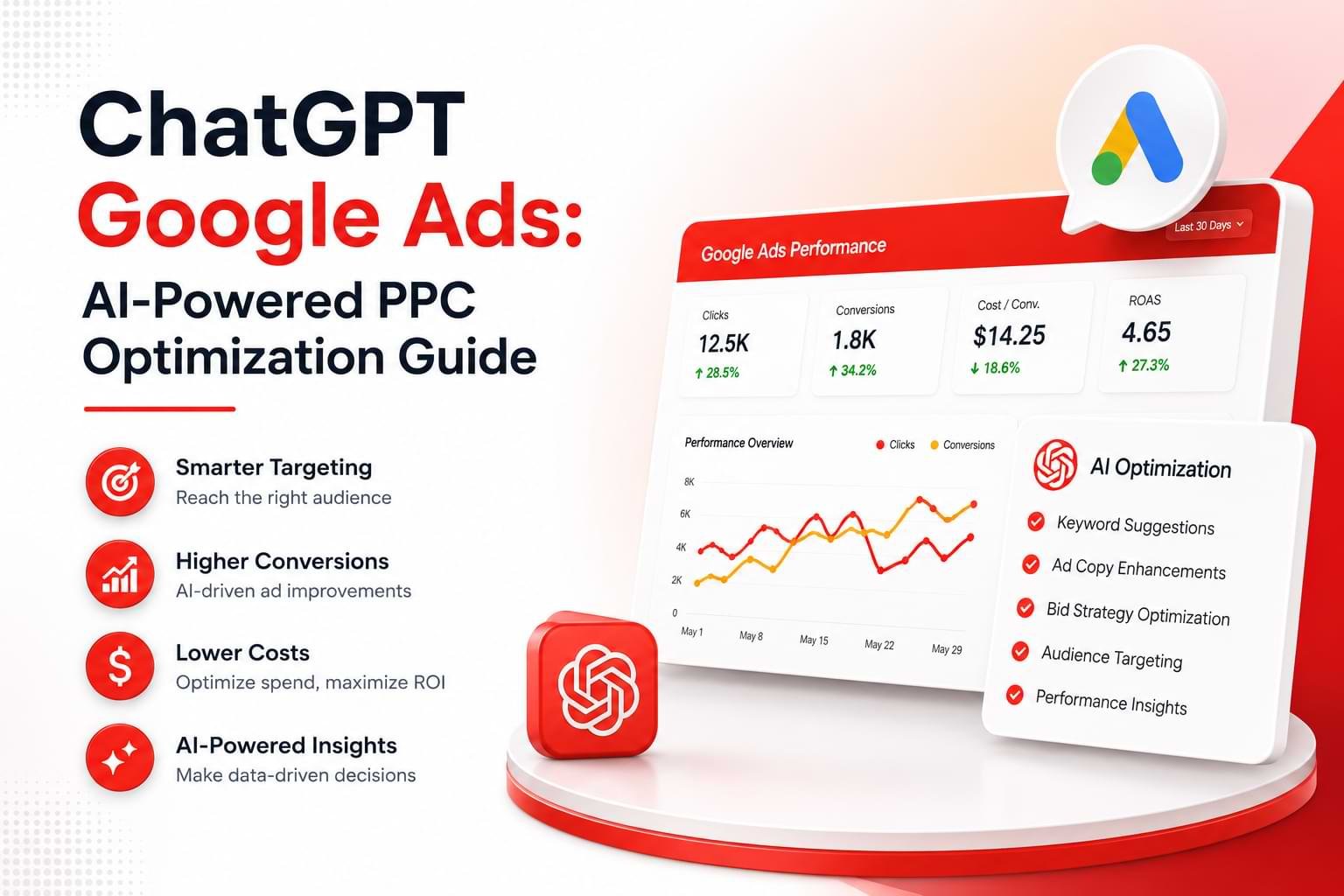
ChatGPT Google Ads automation is one of the fastest ways marketing teams are cutting wasted ad spend and scaling campaign output without hiring more staff. If you’re managing Google Ads — whether for a single e-commerce store or a roster of agency clients — AI-powered workflows are no longer optional. They’re the difference between campaigns that tread water and campaigns that compound results.
This article breaks down exactly how ChatGPT fits into Google Ads management: from writing better ad copy to building audience segments, automating bid logic briefings, and reducing the hours you spend on work that doesn’t require human judgment. It’s written for marketing agencies and e-commerce operators who already know how Google Ads works and want a clear, practical playbook for using AI to do more with the same budget.
What You’ll Learn
- How ChatGPT fits into a Google Ads workflow — and where it genuinely saves time vs. where it doesn’t
- Practical prompts and tasks you can hand off to AI today, without a developer or third-party tool
- How to use ChatGPT to write responsive search ads that improve Quality Scores
- The key mistakes teams make when adopting AI for PPC — and how to avoid them
- What realistic ROI improvements look like when AI is integrated into campaign management
What Is ChatGPT Google Ads and Who Is It For?

ChatGPT Google Ads refers to using OpenAI’s ChatGPT as an AI assistant within Google Ads workflows — writing ad copy, building keyword lists, generating audience briefs, and structuring campaign logic faster than manual methods allow.
This isn’t about replacing Google’s native automation (Smart Bidding, Performance Max, broad match). It’s about using a large language model (LLM) to handle the research, writing, and strategy work that precedes and surrounds those automated systems.
Who benefits most:
- Marketing agencies managing multiple client accounts simultaneously — where the bottleneck is copywriting output, not strategic direction
- E-commerce store owners running campaigns without a full-time PPC specialist, who need to punch above their weight on ad quality and targeting
- In-house performance marketing teams that want to reduce time-to-launch for new campaigns or seasonal pushes
If you’re spending more than two hours a week on repetitive tasks inside Google Ads — writing variations, building negative keyword lists, drafting audience hypotheses — ChatGPT can reclaim that time.
How Does ChatGPT Work with Google Ads?
ChatGPT doesn’t connect to Google Ads directly in most standard setups — it works as an intelligent co-pilot outside the platform that produces inputs you then use inside it.
The workflow looks like this: you feed ChatGPT context (your product, audience, competitor positioning, or existing campaign data), and it outputs usable assets — headlines, descriptions, keyword variants, negative keyword suggestions, audience personas, or campaign structure recommendations. You review, refine, and paste those assets into Google Ads Editor or directly into the platform.
Three primary integration modes:
1. Standalone ChatGPT (No Code Required)
Use the ChatGPT web interface or mobile app with a structured prompt. No integrations, no cost beyond your ChatGPT subscription. Best for ad copy, keyword brainstorming, and landing page brief writing.
2. API-Powered Automation
Developers can connect the OpenAI API to Google Ads via Google Apps Script or a workflow tool like Make (formerly Integromat) or Zapier. This enables automated drafting of new ad variants when a new product is added, or scheduled keyword analysis pulls.
3. AI-Native PPC Platforms
Tools like Optmyzr, Adalysis, and several newer platforms now embed LLM capabilities directly into Google Ads management dashboards. These sit on top of your Google Ads account and offer AI suggestions within the interface.
For most agencies and e-commerce teams, starting with mode 1 — plain ChatGPT with good prompts — delivers 80% of the value with zero technical overhead.
What Are the Key Benefits of Using AI for PPC?
The core benefit of using AI for Google Ads is speed without a proportional drop in quality — AI handles the volume work so your team focuses on judgment calls.
Here’s what that looks like in practice:
Faster ad copy production. Writing 15 headline variants for a responsive search ad (RSA) manually takes 20–40 minutes per ad group. ChatGPT can produce a first draft in under two minutes, which you then edit. Time savings compound across dozens of ad groups.
More consistent keyword coverage. Ask ChatGPT to generate long-tail keyword clusters around a seed term, grouped by intent (informational, transactional, navigational), and it produces structured lists that would take a PPC analyst an hour to build.
Better negative keyword lists. One of the most underused PPC tasks. Feed ChatGPT a list of your top search terms and ask it to identify irrelevant queries that could drain budget — it reliably catches patterns a manual scan misses.
Audience brief generation. Describe your product and ask ChatGPT to generate detailed Customer Match or audience segment profiles for Google’s Customer Match and in-market audiences. These briefs give your team or your client a clear picture of who you’re targeting and why.
Campaign naming and organization. Ask ChatGPT to suggest a consistent naming convention across campaigns, ad groups, and labels. Trivial task, but inconsistent naming wastes hours in reporting and auditing.
How Does AI-Generated Ad Copy Drive Better Results?
AI-generated ad copy improves results when it’s used to increase variation and testing velocity — not to replace human editorial judgment.
Google Ads rewards RSAs with more headline and description variety. The algorithm tests combinations and serves the best-performing mix. If you give Google 5 headlines, it has limited options. If you give it 15 strong, distinct headlines, it has room to find the winning combination for each audience and query.
ChatGPT excels at generating that volume of variation quickly. The key is prompting it to write for different angles — feature-focused, benefit-focused, social proof, urgency, problem-aware — rather than just rewording the same message.
Example Prompt Structure
You are a Google Ads specialist. Write 15 RSA headlines (max 30 characters each) for a UK-based e-commerce brand selling eco-friendly dog treats. The product USPs are: no artificial additives, UK-sourced ingredients, vet-approved. The target audience is dog owners aged 25–45 who shop consciously. Write headlines across these angles: benefit, trust, urgency, product feature, and question-based.
This prompt structure — role, constraints, product details, USPs, audience, angles — consistently produces headlines that are ready to test with light editing, rather than heavy rewriting.
Quality Score impact: Ad copy that closely matches search intent and landing page content improves Quality Score. Higher Quality Scores mean lower cost-per-click (CPC) and better ad positions. AI helps you write copy that’s tighter and more intent-aligned, which flows downstream into better Quality Scores over time.
What Should You Automate — and What Shouldn’t You?
The right rule for AI automation in Google Ads: automate the repeatable, supervise the consequential.
Tasks where ChatGPT saves significant time without meaningful risk:
- Writing first-draft ad copy (you still review before publishing)
- Building keyword and negative keyword lists (you still validate with Google Keyword Planner data)
- Creating audience persona documents for targeting briefings
- Drafting campaign structures for new verticals or product lines
- Writing A/B test hypotheses based on existing performance data you paste in
Tasks that still require human judgment:
- Budget allocation decisions — AI can model scenarios, but allocating budget across campaigns involves business context the AI doesn’t have
- Bid strategy selection — choosing between Target CPA, Target ROAS, and Manual CPC requires understanding of account maturity and data volume
- Conversion tracking setup — this needs to be right; errors here corrupt all your optimization data
- Client communication and strategy — AI can help draft, but strategic recommendations must be owned by a human who understands the client’s business
A good mental model: if a junior analyst could follow a repeatable checklist to do the task, AI can do it faster. If the task requires contextual judgment about a specific business, keep a human in the loop.
What Results Can You Realistically Expect?
The honest answer: AI won’t transform a structurally broken campaign, but it will meaningfully improve a healthy one and speed up management of all of them.
Time savings are the most consistent and immediate result. Agencies report reducing ad copy production time by 50–70% once they have good prompt templates. That time can be reinvested in analysis, testing, and strategy — which drives real performance improvements.
Performance improvements are more variable and depend on what you were doing before. If your campaigns were running with thin ad copy variety (fewer than 8 RSA headlines), using AI to expand to 15 quality headlines typically improves RSA performance scores from “Poor” to “Good” or “Excellent” within 2–4 weeks.
CPC reductions of 10–20% are achievable in campaigns where ad relevance and Quality Score are the limiting factors — and where AI helps tighten copy-to-intent matching.
ROAS improvements of 15–30% are realistic over a 60–90 day window when AI-assisted copy testing is combined with proper negative keyword management and structured audience targeting. These aren’t guaranteed — they’re the range teams report when AI is integrated thoughtfully, not just bolted on.
The clearest case study pattern: agencies that build standardized AI workflows for onboarding new clients (structure, copy, keywords) cut the time-to-launch by 40–60% while maintaining or improving initial campaign quality.
What Are Common Mistakes to Avoid?
The biggest mistake teams make with ChatGPT Google Ads automation is publishing AI output without review.
ChatGPT produces plausible-sounding text, not validated marketing strategy. Ad headlines that sound good in isolation can be off-brand, legally risky, or simply wrong about the product. Always review AI output against your brand guide and product facts before anything goes live.
Other mistakes worth knowing:
Over-prompting without structure. Vague prompts produce generic output. “Write Google Ads headlines for my shoe store” gives you useless results. Specific prompts with constraints — character limits, audience details, tone guidelines, USPs — give you usable results.
Ignoring character limits. Google Ads has strict character limits: 30 characters for RSA headlines, 90 for descriptions. ChatGPT frequently exceeds these without explicit instructions. Always include the exact limits in your prompt and validate the output before use.
Treating AI keyword lists as final. AI generates plausible keywords, not data-validated ones. Always cross-reference AI-generated keyword suggestions with Google Keyword Planner or your existing search term reports. Keywords that sound logical but have no search volume waste budget.
Using AI to game Quality Score, not improve it. Some teams try to use AI to keyword-stuff ad copy. Google’s relevance algorithms are sophisticated — stuffed copy gets lower Quality Scores, not higher. Write for the human reader first.
Not saving your best prompts. Once you find a prompt structure that consistently produces good output, document it. Prompt libraries are a real productivity asset for agencies. Don’t start from scratch every time.
How Do You Get Started with ChatGPT for Google Ads?
Start with one ad group, one task, and one structured prompt — not a full account overhaul.
Step 1: Choose your first use case. The fastest win is usually RSA headline expansion. Pick your best-performing ad group and use ChatGPT to generate 10–15 new headline variants for testing.
Step 2: Build a brand context document. Create a short brief you’ll paste into every ChatGPT session: brand name, product description, top 3 USPs, target audience, tone of voice, and any words or phrases to avoid. This gives the AI enough context to produce on-brand output without you repeating yourself each time.
Step 3: Use structured prompts with constraints. Always include: role instruction, character limits, audience, product USPs, and the angles you want covered. The example in the ad copy section above is a reliable template to start from.
Step 4: Review before you publish. Build a 10-minute review step between AI output and publication. Check character counts, brand alignment, and factual accuracy. This step prevents the most common quality issues.
Step 5: Track performance by variant. Use Google Ads’ asset reporting to see which AI-generated headlines and descriptions perform best. Over time, you’ll identify patterns — the angles, structures, and language that work for your audience — and your prompts will get sharper.
The full workflow — brand context doc, structured prompt, AI output, human review, publish, track — takes longer to set up than to run. Once it’s in place, it runs in a fraction of the time of manual copy production.
FAQs
Q: Can ChatGPT directly connect to and manage my Google Ads account?
No, ChatGPT does not connect to Google Ads natively — it works as an external assistant that produces inputs you apply inside the platform. For automated connections, you need the OpenAI API combined with tools like Google Apps Script, Make, or a purpose-built PPC platform with LLM integration.
Q: Is using AI for Google Ads against Google’s policies?
No, using AI to assist with ad creation is fully permitted by Google. Google itself offers AI tools within the Ads platform (Performance Max, automatically created assets). The policy requirement is that all ads must be reviewed and approved by the advertiser before they go live — AI-assisted creation is fine, but you remain responsible for what runs.
Q: Will AI-written ad copy lower my Quality Score?
No — if written correctly. Quality Score is determined by expected click-through rate, ad relevance, and landing page experience. AI copy that’s tightly matched to search intent and landing page content can improve Quality Score. AI copy that’s generic, keyword-stuffed, or mismatched to the landing page will hurt it, just as manually written bad copy would.
Q: How much does it cost to use ChatGPT for Google Ads?
ChatGPT Plus costs $20/month for individual use. For teams, the ChatGPT Team plan starts at $30/user/month. If you’re using the OpenAI API directly (for automation), pricing is usage-based — typically a few dollars per month for ad copy workflows. These costs are negligible relative to the time savings at scale.
Q: How long does it take to see results from AI-assisted Google Ads?
Time savings are immediate from day one. Performance improvements typically take 2–6 weeks to show in the data, because Google needs time to test new ad variants and the algorithm learns from impression and click data. Significant ROAS improvements are typically visible after 60–90 days of consistent AI-assisted testing and optimization.
Q: Can ChatGPT help with Google Shopping campaigns?
Yes, though the use cases are different from Search campaigns. ChatGPT can help write product titles and descriptions optimized for Google Shopping, create supplemental feed data, build audience briefs for Performance Max campaigns, and draft promotional copy for sale events. It can’t manage feed structure directly, but it’s useful for the content layer of Shopping strategy.
Q: Is ChatGPT useful for small e-commerce stores with limited budgets?
Yes — small budgets benefit disproportionately from AI assistance because every dollar of wasted spend has a bigger impact. ChatGPT helps small stores punch above their weight on copy quality and keyword structure without the cost of a full-time PPC specialist. The key is using it to work smarter on a tight account, not to generate volume for its own sake.
Q: What’s the difference between using ChatGPT and Google’s own AI tools in Ads?
Google’s AI tools (Performance Max, broad match, automatically created assets) operate within the auction and optimize based on real-time data inside your account. ChatGPT operates outside the platform and helps you create and structure better inputs for Google’s systems. They’re complementary: Google’s AI optimizes the machine; ChatGPT helps you build better fuel for it.
Q: Do I need technical skills to use ChatGPT for Google Ads?
No. The highest-value use cases — ad copy, keyword lists, audience briefs, negative keywords — require only the ability to write a structured prompt and copy output into Google Ads. Technical skills (API integration, scripting) unlock additional automation, but the manual workflow delivers most of the value and requires no coding.
Conclusion
ChatGPT Google Ads automation is a practical, accessible tool — not a silver bullet. The teams getting real results from it are treating AI as a force multiplier for their existing expertise, not a replacement for it.
The four things worth remembering: AI saves the most time on high-volume, repeatable tasks like ad copy and keyword lists. Quality prompts with clear constraints produce usable output; vague prompts produce generic output. Human review before publication is non-negotiable. And results compound — the more consistently you use AI in your workflow, the sharper your prompts get and the faster your campaigns improve.
If you’re an agency or e-commerce operator and you’re not yet using AI in your Google Ads workflow, the easiest place to start is RSA headline expansion. Take your best-performing ad group, open ChatGPT, and use a structured prompt to generate 15 new headline variants this week. Measure the asset performance in 30 days. That’s a real test — and a low-risk one.