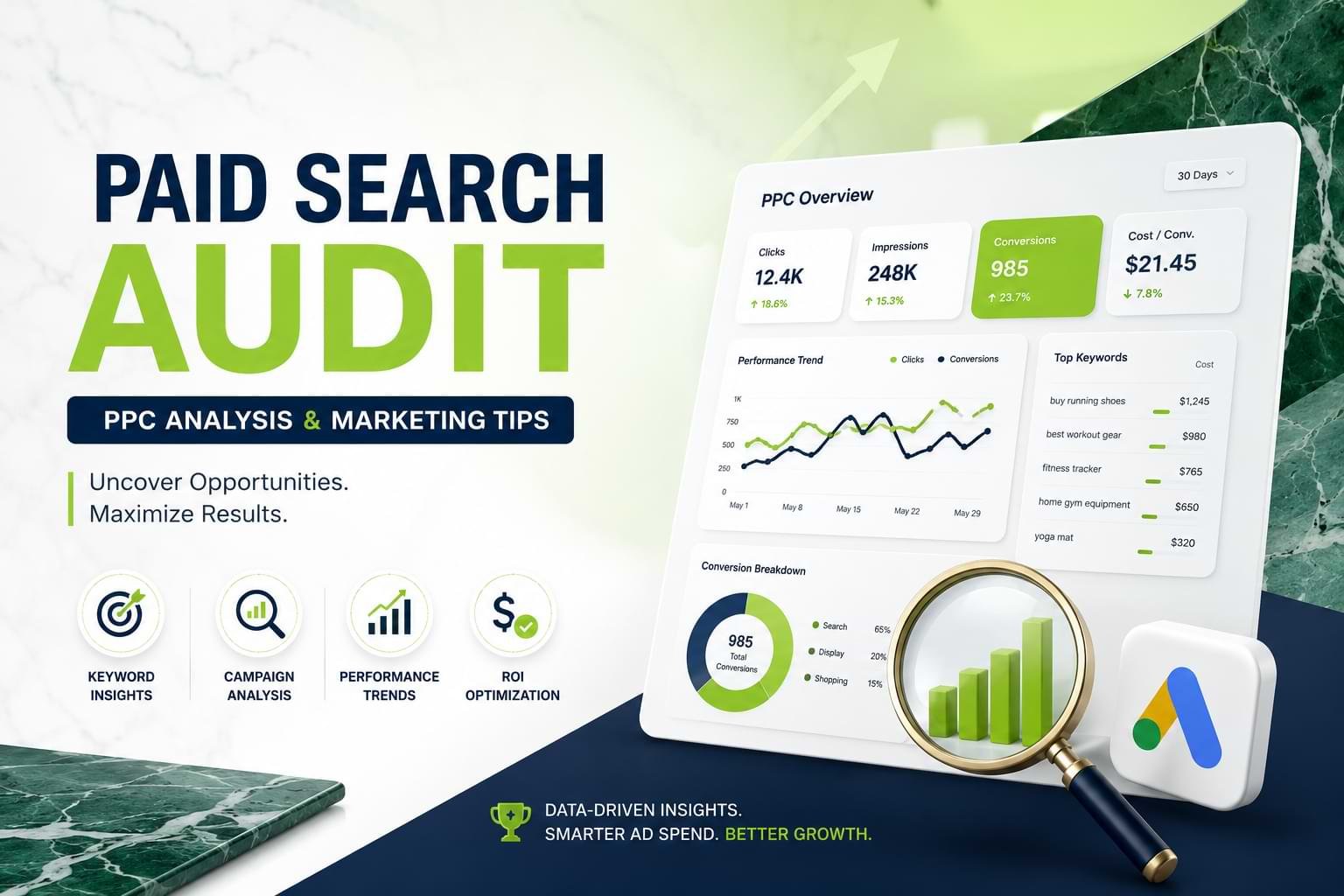
What You’ll Learn
- What a paid search audit covers and why it’s worth doing before increasing your budget
- The 6 core areas every PPC audit must examine — including the one most teams skip
- How to identify wasted spend and reallocate budget to your highest-performing campaigns
- Common Google Ads mistakes that silently drain ROI and how to fix them fast
- How to get started with your own audit — with or without an agency
Introduction
A paid search audit is a systematic review of your PPC (pay-per-click) campaigns to find what’s costing you money and what’s driving real results. If your Google Ads account has been running for more than a few months without a thorough check, there’s a good chance you’re wasting budget — often 20–30% of total spend — on keywords, placements, or ad variations that simply don’t convert.
This guide walks you through exactly how a PPC audit works, what to look for, and how to turn your findings into measurable improvements. It’s written for digital marketing managers, PPC specialists, agency owners, e-commerce businesses, and any company spending real money on paid advertising that wants to spend it better.
Whether you manage a £500/month campaign or a seven-figure global account, the same core principles apply: measure what matters, fix what’s broken, and double down on what works.
What Is a Paid Search Audit and Who Is It For?

A paid search audit is a structured review of your PPC campaigns. It looks at your account settings, keyword strategy, ad copy, landing pages, bidding logic, and conversion tracking. The goal is to find what’s underperforming and where the opportunities are.
Think of it like a financial audit for your ad spend. You’re not guessing what’s wrong — you’re tracing every dollar back to a real result. Most audits focus on Google Ads, but the same approach works for Microsoft Advertising (Bing Ads), Meta (Facebook and Instagram), and other paid platforms.
Who needs a paid search audit?
The short answer: anyone running paid search who hasn’t reviewed the account in the past 60–90 days. More specifically:
- Marketing managers who inherited a Google Ads account and need to understand what they’re working with
- Agency owners and PPC specialists onboarding a new client
- E-commerce businesses where rising CPCs (cost per click) are squeezing product margins
- SaaS companies struggling with a high cost-per-lead but unsure of the cause
- Small business owners running campaigns themselves and unsure if the spend is justified
Quick signal: If your click-through rate (CTR) is below 2% on brand keywords, or your Quality Scores are hovering below 6, you almost certainly have issues an audit would surface immediately.
How Does a PPC Audit Work?
A PPC audit works by reviewing each layer of your paid search account — from campaign structure down to individual keywords and ad variations. It compares actual performance against benchmarks and finds the gaps between what the account is set up to do and what it’s actually achieving.
Most audits move through three phases:
Phase 1 — Data collection Export campaign data, Quality Scores, search term reports, conversion data, and audience insights from Google Ads, Google Analytics 4 (GA4), and any CRM integrations you use.
Phase 2 — Diagnosis Analyze performance by campaign, ad group, keyword, device, location, and time of day. Flag problems: high spend with zero conversions, low impression share on your best terms, conflicting match types, and missing negative keywords.
Phase 3 — Prioritized recommendations Build a prioritized action list. Quick wins come first — kill wasted spend, fix broken tracking. Then structural improvements like reorganizing ad groups and updating bidding strategies. Then long-term optimization like testing new audiences and expanding match types.
The whole process typically takes 4–12 hours for a mid-size account, or 2–4 weeks for a full enterprise audit with multiple campaigns across regions and product lines.
What Are the Key Areas a Paid Search Audit Covers?
A thorough paid search audit examines six core areas. Missing any one of them leaves gaps that can cost you real money.
Key numbers to keep in mind:
- 6 core audit areas
- ~25% average wasted spend found in unaudited accounts
- 4–12 hours for a typical mid-size account audit
1. Account structure
Good structure means tightly themed ad groups where every keyword is closely related and maps to a single, relevant ad. Bloated ad groups — with 50+ keywords sharing one ad — dilute relevance and hurt Quality Scores. Look for ad groups that are too broad, campaigns that overlap each other, and settings (like search partners or display expansion) that may be pulling budget away from your core search intent.
2. Keyword strategy
You’re looking at three things: keyword coverage (are you targeting the right terms?), keyword waste (are you paying for irrelevant queries?), and match type logic (are broad match keywords eating budget that should go to exact or phrase match?). The Search Terms report is your most important document here — it shows exactly what users typed when your ad appeared.
3. Ad copy and extensions
Common issues include pinned headlines that prevent Google from testing combinations, missing sitelinks, and call extensions that aren’t active during business hours. Check which Responsive Search Ad (RSA) combinations are performing, identify low-CTR ads in high-impression ad groups, and confirm your asset extensions are complete.
4. Landing page alignment
If your ad promises “free shipping on orders over $50” but the landing page doesn’t mention it, your conversion rate suffers — regardless of your Quality Score. Audit the message match between every major ad group and its destination URL.
5. Bidding and budget
Are you using the right bidding strategy for where your account is in its lifecycle? Target CPA (cost per acquisition) and Target ROAS (return on ad spend) work well with enough conversion data — generally 30+ conversions per month per campaign. Below that threshold, Maximize Conversions or manual CPC often performs better. Also check whether budget caps are limiting your best campaigns while low performers spend freely.
6. Conversion tracking
This is the area most teams skip, and it’s the most consequential. If your tracking is broken, duplicated, or firing on the wrong events, every optimization decision you’ve made is based on bad data. Verify that your Google Ads conversion actions are firing correctly, that you’re not counting page views as conversions, and that offline conversion imports (if used) are up to date.
How Does Quality Score Drive PPC Performance?
Quality Score is Google’s 1–10 rating of the relevance and expected experience of your keyword, ad, and landing page. It directly affects how much you pay per click and how often your ads are shown. A higher Quality Score means lower CPCs and better ad positions.
Google calculates Quality Score from three components:
- Expected click-through rate (CTR): How likely users are to click your ad, compared to similar ads on the same keyword
- Ad relevance: How closely your ad copy matches the intent behind the keyword
- Landing page experience: Whether users find useful, relevant content when they arrive — measured through engagement signals and page load speed
Good Quality Score signals
- The keyword appears in your headline and display URL
- The ad group has fewer than 15 tightly themed keywords
- The landing page loads in under 2 seconds on mobile
- There’s strong message match between the ad and the page
Bad Quality Score signals
- Generic ads serving across mixed keyword themes
- Landing pages that redirect or load slowly on mobile
- Keywords with a score below 4 still receiving budget
- No use of dynamic keyword insertion where it would help
During a paid search audit, flag every keyword with a Quality Score of 4 or below. For high-traffic keywords, improving from a 5 to a 7 can reduce your CPC by 20–30% — meaning the same budget delivers more clicks without spending more money.
How Do You Find and Cut Wasted Ad Spend?
Wasted ad spend is budget going to clicks that have no realistic chance of converting. This includes irrelevant search queries, poorly performing placements, and campaigns bidding on terms that belong in a different part of the funnel. Finding it requires a careful look at your Search Terms report, placement data, and keyword-level conversion rates.
Search Terms report
Export the last 90 days of search terms data. Sort by spend, highest first. Look for terms that have cost more than your target CPA with zero conversions — these are immediate candidates for negative keywords. Also look for off-topic terms, competitor brand names you didn’t intend to target, or informational queries triggering your commercial campaigns (for example, “how does X work” showing up in a campaign meant for “buy X”).
Negative keyword gaps
Most accounts underinvest in negative keywords. A well-managed account typically has 200–500+ negative keywords at campaign and account level. Check whether your negatives are shared via a list or siloed per campaign. Make sure obvious irrelevant terms — like competitor names you don’t want, or “free” and “jobs” if you’re an e-commerce brand — are excluded at the account level.
Device and geo segmentation
Break performance down by device. If mobile drives 60% of your clicks but less than 15% of conversions — and your landing page isn’t mobile-optimized — you may be overbidding on mobile traffic. Geography is worth checking too: if you’re running a US-targeted campaign but seeing significant spend from outside your service area, a geo-bid adjustment or exclusion could reclaim meaningful budget.
Real example: An e-commerce client in the UK found that 31% of their Google Shopping spend was going to clicks from tablet users who converted at just 0.4% — versus 3.2% on desktop. Reducing tablet bids by 60% freed up £4,200 per month that was reallocated to better-performing ad groups. ROAS improved 28% within six weeks.
What Are the Most Common Paid Search Mistakes to Avoid?
The most common paid search mistakes fall into three categories: tracking errors that corrupt your data, structural issues that dilute relevance, and bidding decisions that ignore account maturity. Each one quietly drains ROI without obvious symptoms.
Running Smart campaigns without understanding what they do Google’s Smart campaigns handle targeting automatically. They can work well, but if you don’t know where your budget is going, you can’t improve it. Always have conversion tracking fully set up before using automated bidding.
Ignoring the Auction Insights report This report shows who else is bidding on your keywords and how often they appear. If a direct competitor has 90% impression share on your brand keywords, that’s a problem to address — either by raising bids or building out dedicated branded campaigns.
Setting it and forgetting it PPC is not passive. Auction dynamics, seasonality, competitor activity, and Google algorithm updates all affect performance over time. Accounts with no changes for 30+ days are almost always leaving money on the table.
Using broad match without strong negatives Broad match in 2025–2026 is far more expansive than it used to be. Google will match to semantically related queries well outside what you’d expect. Without a robust negative keyword strategy, broad match burns budget fast.
Forgetting the PPC-SEO overlap If your organic pages already rank in positions 1–3 for a keyword, bidding on it may be unnecessary. Paid search audit findings should always be cross-referenced with your SEO data to identify where you’re paying for traffic you’d get for free.
What Results Can You Realistically Expect?
After a properly executed paid search audit, most accounts see a 15–35% improvement in cost-efficiency within 60–90 days. That means the same budget generates more conversions — or the same number of conversions costs less. The exact impact depends on how well the account was managed before the audit.
Typical benchmarks:
- 15–35% efficiency gain (typical range)
- 60–90 days to see measurable results
- 20–30% of budget often found to be wasted pre-audit
Accounts that haven’t been audited in 12+ months tend to see the biggest gains — particularly from negative keyword cleanup, conversion tracking fixes, and bidding strategy realignment. Accounts that are already well-managed may see smaller but still meaningful improvements.
What a paid search audit cannot guarantee: it won’t fix problems that live outside the ad account, like a product-market fit issue, a broken checkout, or a landing page with a 15-second mobile load time. The audit identifies the lever. Execution and iteration determine the outcome.
How Do You Run a Paid Search Audit?

You can run a paid search audit yourself using Google Ads’ built-in reporting tools, or work with a specialist who delivers a prioritized findings report. Either way, the process follows the same sequence.
Step 1 Access your Google Ads account. Enable auto-tagging if it isn’t already on — this is required for Google Analytics 4 integration.
Step 2 Pull a 90-day keyword-level performance export. Include impressions, clicks, CTR, average CPC, conversions, cost per conversion, and Quality Score.
Step 3 Review the Search Terms report for the same 90-day period. Build a list of irrelevant queries to add as negative keywords.
Step 4 Check conversion tracking. Go to Goals → Conversions → Summary in Google Ads. Any action showing “No recent conversions” or “Tracking unverified” needs immediate investigation. Cross-reference with GA4 to confirm the numbers match.
Step 5 Audit Quality Scores at the keyword level. Filter for all keywords with a QS of 1–4 and note how much they’re spending.
Step 6 Review bidding strategies by campaign. For any campaign using Target CPA or Target ROAS, check whether it had 30+ conversions in the prior 30 days. If not, consider switching to Maximize Conversions.
Step 7 Compile findings into a prioritized action list: immediate fixes first (broken tracking, major negative keyword gaps), then structural changes (ad group reorganization, landing page fixes), then long-term tests (new audiences, bid modifiers, expanded keywords).
Quick audit checklist
Use this when working through your account:
- Conversion tracking verified and firing correctly
- Search Terms report reviewed — negatives added
- Quality Score audit complete — keywords below 4 flagged
- Campaign structure reviewed — ad groups tightly themed
- Bidding strategies aligned to conversion data availability
- Device and geo performance segmented and assessed
- Ad copy tested — RSA asset combinations reviewed
- Budget allocation reviewed — top campaigns not constrained
- Auction Insights reviewed for competitive context
- Landing page speed and message match confirmed
FAQs
How often should you run a paid search audit?
Most accounts benefit from a full audit every 3–6 months. Fast-growing accounts or those in competitive industries should audit quarterly. A lighter monthly check — reviewing search terms, conversion tracking, and top-spending keywords — should be part of regular account management regardless of full audit frequency.
How much does a paid search audit cost?
Agency audits typically range from £500 to £3,000+ depending on account size and depth of analysis. Smaller audits for single-product e-commerce or local service businesses often fall at the lower end. Enterprise accounts with multiple markets, currencies, and product lines command higher fees. DIY audits cost nothing but require 4–12 hours of skilled time.
What is a PPC audit vs a Google Ads audit — are they the same?
A Google Ads audit is a type of PPC audit focused specifically on the Google Ads platform. PPC audit is the broader term covering any pay-per-click platform, including Microsoft Advertising, Meta Ads, Amazon Ads, and LinkedIn Ads. Most audits prioritize Google Ads because it accounts for the majority of paid search spend globally.
Can I run a paid search audit without an agency?
Yes. If you have access to your Google Ads account and understand the core performance metrics, you can conduct a meaningful audit yourself. The key areas to cover are conversion tracking verification, search term analysis, Quality Score review, and bidding strategy assessment. Google Ads’ built-in reporting tools give you most of what you need without third-party software.
What is a good Quality Score in Google Ads?
A Quality Score of 7 or above is generally considered good; 8–10 is excellent. A score of 6 is average and indicates optimization opportunities. Anything at 4 or below signals a relevance problem between your keyword, ad, and landing page — and means you’re likely paying a premium on every click. Focus audit effort on keywords scoring 1–4 that also have meaningful spend.
What tools are used in a PPC audit?
Most audits rely on Google Ads native reporting, Google Analytics 4, and Google Tag Manager. Third-party tools like SEMrush, Ahrefs, Optmyzr, and WordStream add competitive data and bulk editing capabilities. For enterprise accounts, custom scripts and Looker Studio dashboards help visualize trends across large data sets. The native Google tools alone cover about 80% of what a standard audit requires.
Is a paid search audit worth it for small businesses?
Yes — for small businesses, an audit is often where the biggest ROI improvements are found, because smaller accounts are more likely to have structural problems that went unnoticed. A £100/day budget running with broken conversion tracking, no negative keywords, and default broad match settings can easily be wasting 40–50% of spend. Even a 2-hour DIY audit catching the obvious issues can meaningfully improve performance.
How do you know if your Google Ads conversion tracking is working correctly?
Go to Goals → Conversions → Summary in Google Ads. Any action showing “No recent conversions” or “Tracking unverified” needs immediate attention. Cross-reference the conversion numbers in Google Ads with the same event in GA4 over the same date range — they should be within 10–15% of each other. Larger discrepancies point to tagging issues, duplicate firing, or excluded traffic distorting your data.
What’s the difference between a paid search audit and ongoing PPC management?
A paid search audit is a one-time (or periodic) diagnostic exercise. Ongoing PPC management is continuous account optimization. An audit gives you a complete picture of account health and a prioritized improvement plan. Ongoing management implements those recommendations, monitors performance, reacts to auction changes, and continues testing over time. Many companies use an audit as the entry point before committing to a management retainer.
Conclusion
A paid search audit isn’t a luxury for large accounts — it’s the foundation of any effective PPC strategy.
The four most important takeaways:
- Broken conversion tracking is the most damaging and most overlooked problem in paid search. Fix it first.
- Quality Score improvements reduce what you pay per click without touching your budget.
- The Search Terms report is your fastest path to finding wasted spend — it shows exactly what people were searching when your ad appeared.
- Structure determines your performance ceiling — tightly themed ad groups consistently outperform bloated ones over time.